What is RAG? How AI Answers Questions About Your Documents
Publicerad May 7, 2025 av Joel Thyberg

How do we find information today?
When we want to know something, our first instinct is often to turn to a search engine. We formulate a question and get back a list of links.
Figure 1: A classic Google search for "What is RAG?".
Recently, a new, powerful tool has emerged: large language models like ChatGPT. Instead of a list of links, we can get a direct, summarized answer.
Figure 2: The same question posed to ChatGPT provides a direct answer.
The Problems with Today's Language Models
These language models are incredibly knowledgeable, but they have two fundamental limitations:
- Limited Knowledge: They can basically only answer questions with information they have been trained on, which is almost exclusively publicly available data from the internet. They know nothing about your private files, company-specific documents, or internal reports.
- Hallucinations: Sometimes, a language model can "make up" answers. It presents incorrect information as if it were fact, often in a very convincing way.
So how can we use the power of these models to get answers about our own, private data, without risking inaccuracies?
The Solution: RAG – A Superpower for AI
This is where Retrieval-Augmented Generation (RAG) comes in. It's a technique that gives language models superpowers. RAG allows a model to answer questions about exclusive and private information while drastically reducing the risk of hallucinations.
But what is RAG, and how does it work in practice?
How Does RAG Work? A Step-by-Step Guide
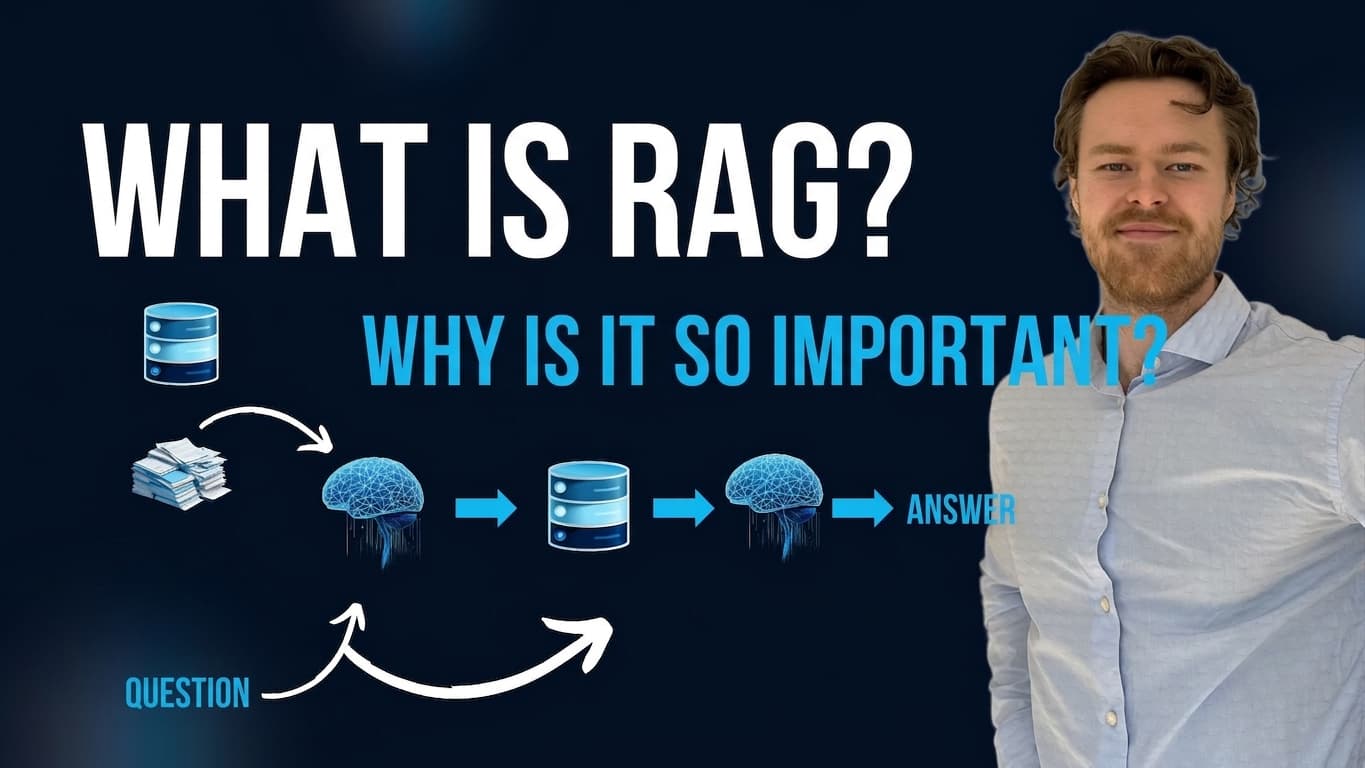
The RAG process can be divided into two main phases: Preparation (where we prepare our data) and Usage (where we ask a question and get an answer).
Phase 1: Preparation (Indexing)
The first step is about preparing the information we want the AI to be able to use.
1. Extract Text: Let's say we have hundreds of company-specific PDF documents. First, we need to extract all the text from these files and convert it into a clean text format that an AI can read, such as Markdown or plain text.
2. Chunking into Meaningful Parts: Feeding tens of thousands of pages of text directly into an AI is inefficient. Instead, we split the extracted text into smaller, meaningful parts called "chunks." Often, the text is divided based on a certain number of tokens (words and parts of words), for example, 200 tokens per chunk. An overlap is also used between each chunk to ensure that no sentences or important contexts are cut off in the middle. During this step, you can also add metadata – "data about data" – to each chunk, such as which PDF file and which page it originally came from.
3. Create and Store Meaning (Embeddings & Vector Database): This is the most crucial step. Each text chunk is converted into an embedding. An embedding is a mathematical representation of the text's meaning, stored as a long list of numbers (a vector: [0.02, 0.91, ..., -0.55]). Vectors representing text with similar meaning will be mathematically "close" to each other.
These vectors are then stored in a specialized vector database, which is optimized to quickly search for and compare the meaning of thousands or millions of such vectors.
Phase 2: Usage (Retrieval & Generation)
Once our data is prepared and stored in the vector database, we can start asking questions.
4. Ask a Question: When a user asks a question, for example, "Who were our biggest customers in Q4?", the question undergoes the same process as our data: it is converted into an embedding vector that represents the meaning of the question.
5. Retrieve Relevant Information: The question's vector is sent to the vector database, which performs a similarity search. It finds the text chunks whose vectors are most similar to the question's vector. In practice, this means the database finds the parts of our original documents that are most relevant to answering that specific question. We take the top X most relevant results.
6. Generate an Answer: In the final step, we take the relevant text chunks retrieved from the database and send them, along with the original question, to a large language model like GPT-4. The language model's task is now not to answer freely from its general knowledge, but to act as a smart summarizer. It reads the question and the provided context and formulates a correct and well-founded answer based solely on the information from our documents.
In this way, the AI can provide precise answers about private data, and the risk of hallucinations is minimized because it has been given exactly the information it needs to answer correctly.
Practical Demonstration
The video below demonstrates a RAG solution in practice. First, it shows how the system uses a powerful external language model (Google Gemini) to answer questions about a PDF containing vacation request guidelines.
Figure 3: The RAG chat is using the external language model Gemini 2.0 to answer questions.
However, one of the great strengths of RAG is that it can also be run completely locally and offline. This is also shown in the video, where the internet connection is turned off. The solution then detects that it is offline and automatically switches to a local language model (gemma3:4b via Ollama) that can continue to answer the same company-specific questions correctly, entirely without the internet.
Figure 4: Here, the solution has switched to the local model Gemma3:4b and works completely offline.
Watch the full technical walkthrough and demonstration in the video here:
If you want to understand how you can get AI to work with your data, this is a video you don't want to miss.
Further Reading
For a deeper dive into standard RAG or other, more advanced, types of RAG solutions, check out our page on RAG Technologies.
Resources
- GitHub Repo (Chat Application): streamlit-rag-pdf-chatter
- Embedding Model: intfloat/multilingual-e5-large-instruct
- External LLM (Google Gemini): Google AI Studio
- Application Framework: Streamlit
- Local LLM (Ollama): gemma3:4b